How it works
Quick invitation
Pick a design, enter your details, publish. No editor at all. Your invitation is ready in 5 minutes.
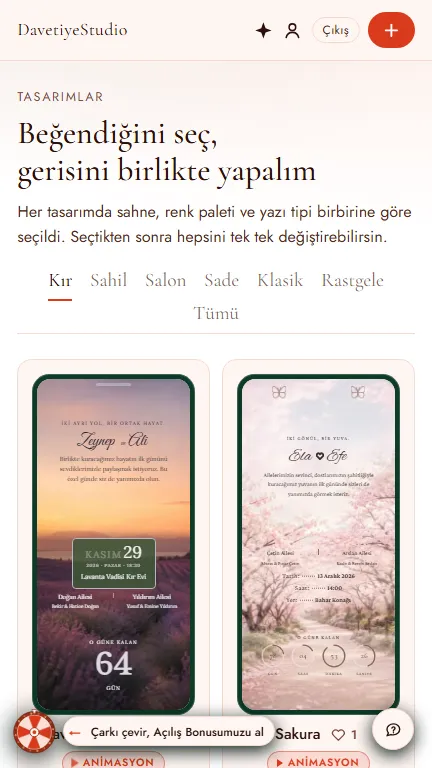
Pick your design
Hundreds of designs. Each tab shows a collection’s highlights: Rustic · Beach · Ballroom · Minimal · Classic · Floral. The rest are under “All”.
- No account, no payment. Just browse.
- Tap one you like. The details screen opens.
- Can’t decide? Tap “Surprise me”. Like it? Tap “Start with this”.
- Have an account? Leave a heart.
You can change the design later. The “Designs” button takes you back.
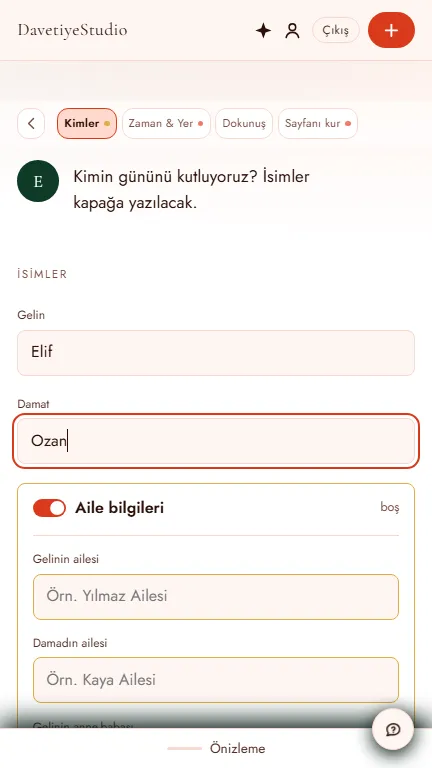
Answer four questions
Four badges, any order.
- Who: type the names. They go on the cover.
- When & where: date, time, venue. This sets the countdown and the map.
- Style: font, palette, animation, music, background, icon. The theme picked them; change them if you like.
- “Surprise style” shuffles again. “Undo” brings back the last one.
- Build your page: turn the envelope and sections on or off. Turning one off lowers the price.
- Edit content in each card’s “Edit” window.
Don’t know something yet? Leave it blank and move on. The phone beside you updates as you type.
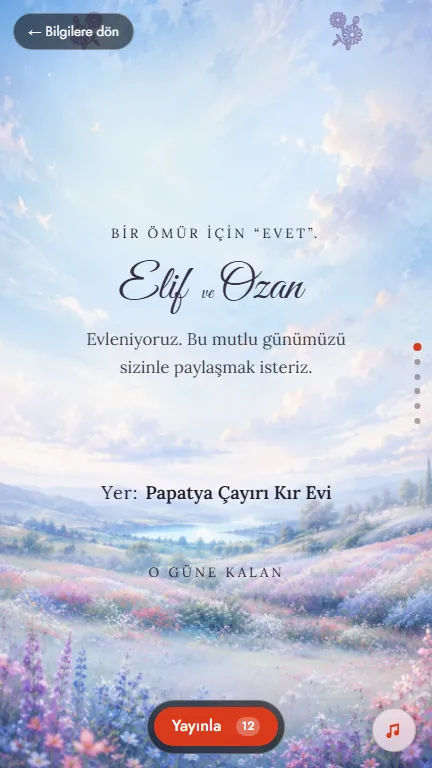
See your invitation
Full screen, as a guest sees it.
- Tap “Show my invitation”.
- Like it? Publish without opening the editor.
- Want to tweak it? The editor opens from the same place.
There’s no editor button on phones. The editor is for computers.
Publish
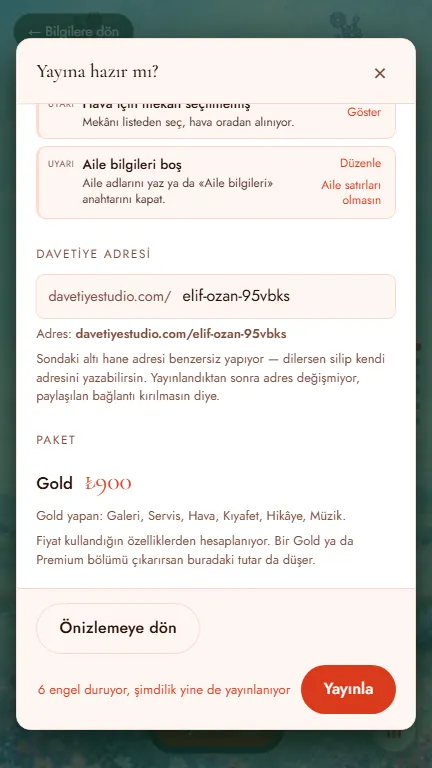
Pick an address: at least three letters. It can’t be changed later.
- Tap “Publish”. A checklist opens: blockers, warnings, tips.
- The button next to a blocker takes you to that section.
- The summary shows the price: ₺600 · ₺900 · ₺1,200. The highest plan you use applies.
- Tick the three boxes, then tap “Pay with iyzico”. We never store your card details.
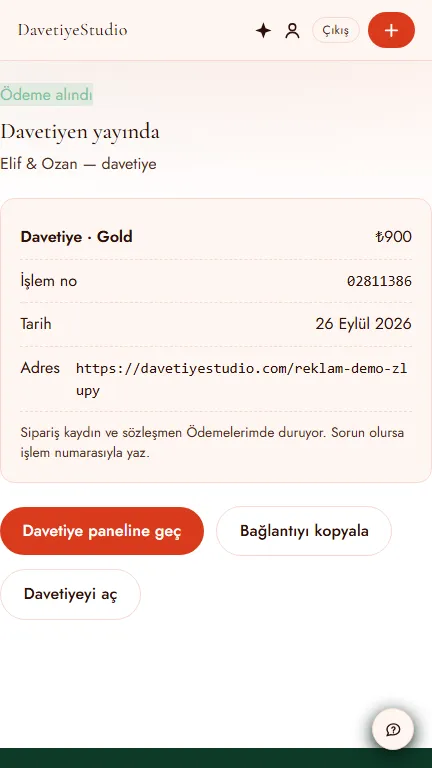
- Once payment clears, your invitation is live. If the bank declines, it isn’t published. Try again.
Share your link
On the result screen, tap “Copy link”.
- Paste it and send. The preview appears on its own.
- “Go to invitation panel”: who opened it, who’s coming.
- A second address for your IBAN: the gift link. It doesn’t go to everyone.
What comes next is in two tabs: what you can do in the editor and after you share your invitation.
FAQ
- Is it really free to try?
- Yes. The full editor is open on every plan: pick a design, build your invitation all the way, and preview it on your phone. You pay only when you publish, once. No subscription.
- What sets the price?
- Designs are free, invitations have a price. Every design with Standard sections is ₺600; adding a Gold add-on such as gallery or music moves the invitation to Gold, and the sealed envelope opening or photo album moves it to Premium. One add-on unlocks the whole plan; remove it and the price drops back. It’s always your call.
- Can I make changes after publishing?
- Yes. Edit the time, place, photos or schedule later and republish. The link stays the same, so you don’t need to message your guests a second time.
- Will my guests need to download an app?
- No. The invitation is a web address: anyone who taps the link from WhatsApp, a text message or Instagram opens it in their phone’s browser. No account needed either.
- How long does the invitation stay live?
- Until the day of the event. You can publish your invitation up to 12 months ahead. For 2 months after the event you can open your RSVP list and photo album and download everything. The period is the same on every plan.
Full terms are on the legal information page. Stuck somewhere? Tell us with the feedback button in the corner of the screen. No sign-in needed.