How it works
After you share your invitation
Your panel works from the day you send your invitation to the day after the wedding: who you sent it to, who opened it, who’s coming, who sits where.
Where the panel is, what it does
My profile, click your invitation. After payment, “Go to invitation panel” brings you here too.
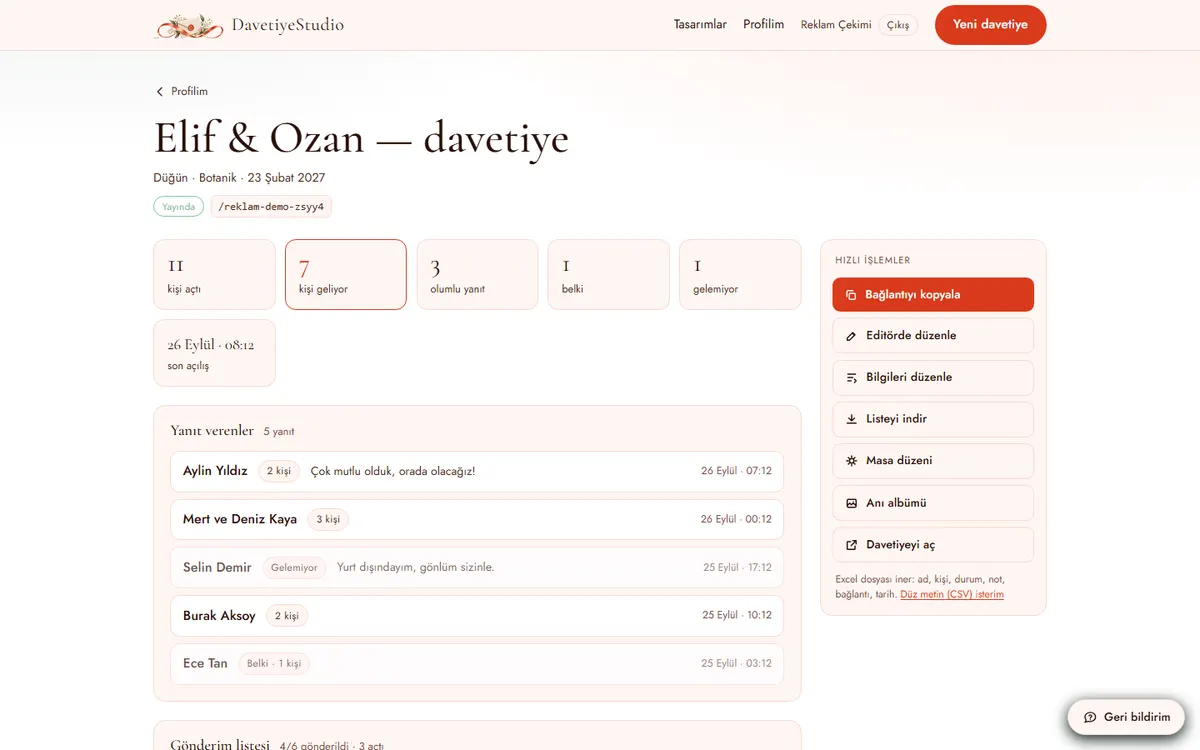
- Quick actions on the right: copy link, edit in editor, edit details, download list, seating chart, photo album.
- Number boxes: how many opened it, how many are coming, yes, maybe, can’t make it.
- “People coming” counts people. One reply can say “we’re three”.
- Replies below: name, party size, note, date.
- “Download list” gives you an Excel file. Plan your seating from here.
- No email is sent for new replies. Check the panel yourself.
Who did I send it to: guest list
Panel, Send list.
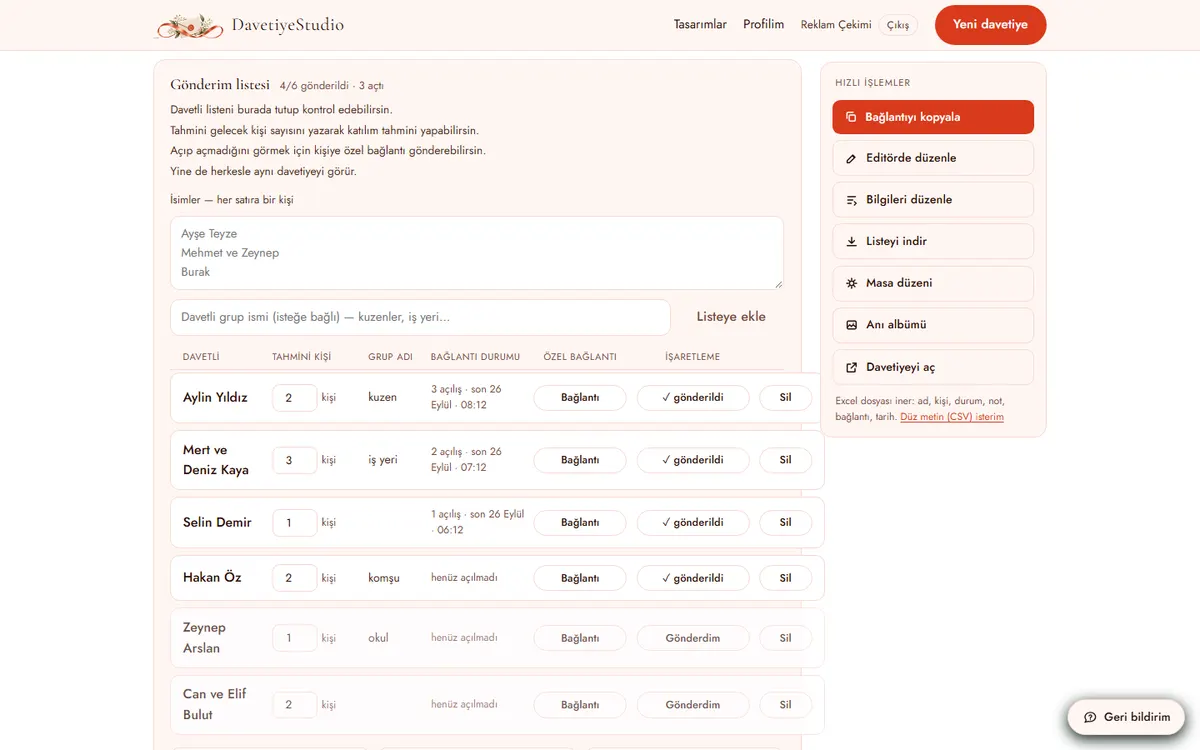
- Type names, one per line. Tap “Add to list”.
- Enter the expected party size.
- “Link”: a personal address for that guest. Same invitation; it only tells you who opened it.
- Once sent, tap “Sent”.
- “Link status”: how many times it was opened, and when last.
- Message again anyone who hasn’t opened it.
Seating chart
Panel, Seating chart.
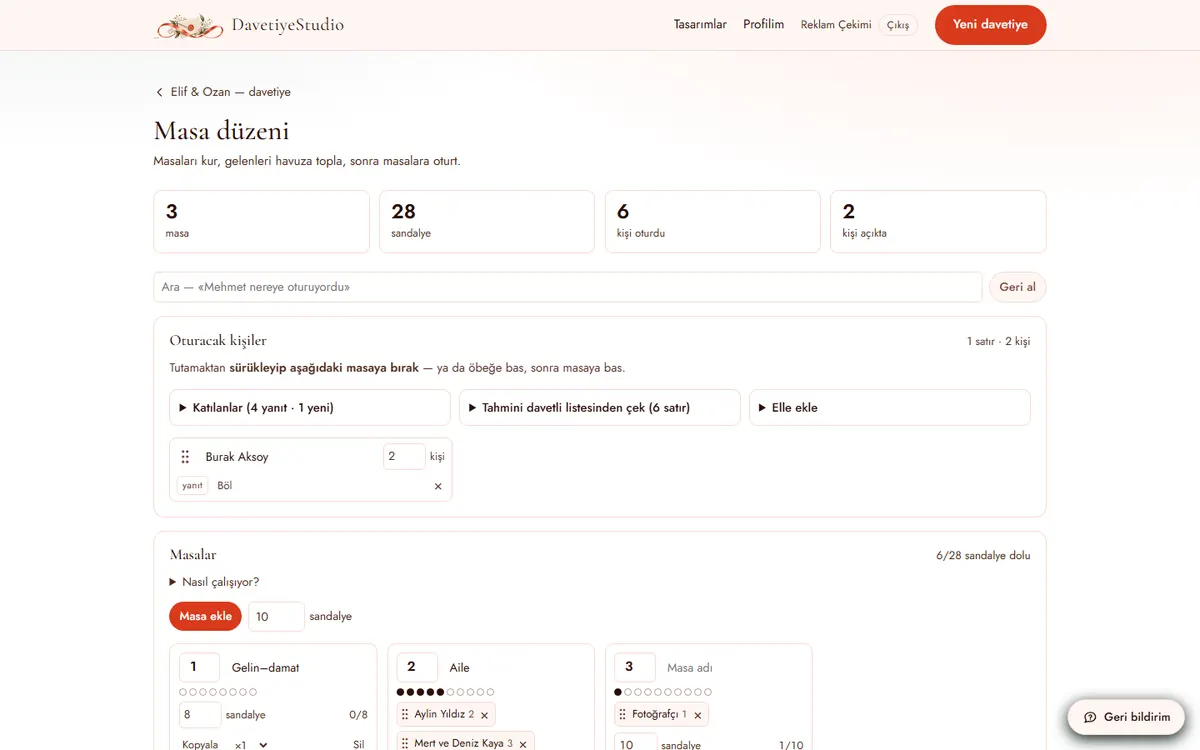
- Tap “Add table”. A new table comes with 10 chairs; up to 100 tables.
- Guests to seat come from three places: RSVPs, the expected list, added by hand.
- Drag by the handle and drop on a table. Or tap a guest, then tap a table.
- A family moves as one and takes as many chairs as it has people.
- Same guest entered twice? Delete the extra. It won’t merge them for you.
- Search box: “where is Michael sitting”.
IBAN and gift link
Panel, Links. Your invitation needs a Gift block.
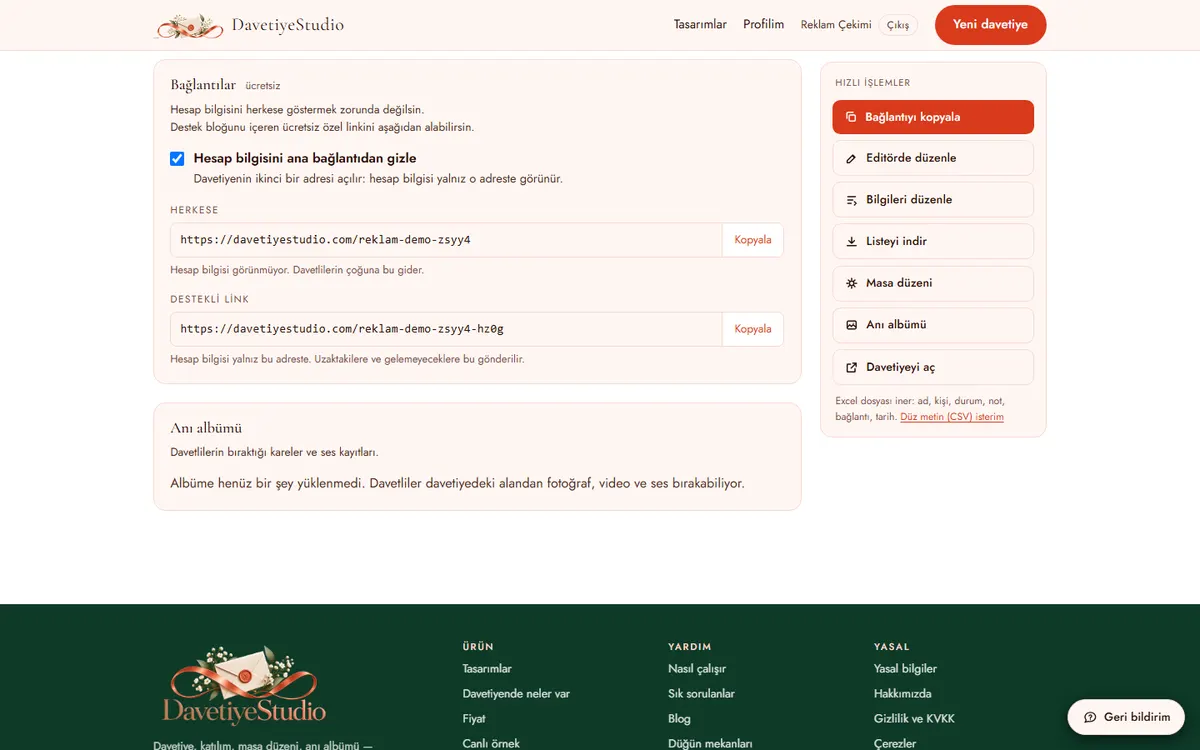
- Tick “Hide IBAN from the main link”.
- You get two addresses: “Everyone” and “Gift link”.
- Everyone: no IBAN. Send this to most guests.
- Gift link: with IBAN. Send it only to whoever you choose.
- Free.
After the wedding: photo album
Panel, Photo album.
- Guests leave photos, videos and voice notes from the invitation.
- Download them all at once, or one by one, and delete.
- Files are deleted 2 months after the event. Download them first.
Later changes and how long it stays live
Panel, “Edit in editor”.
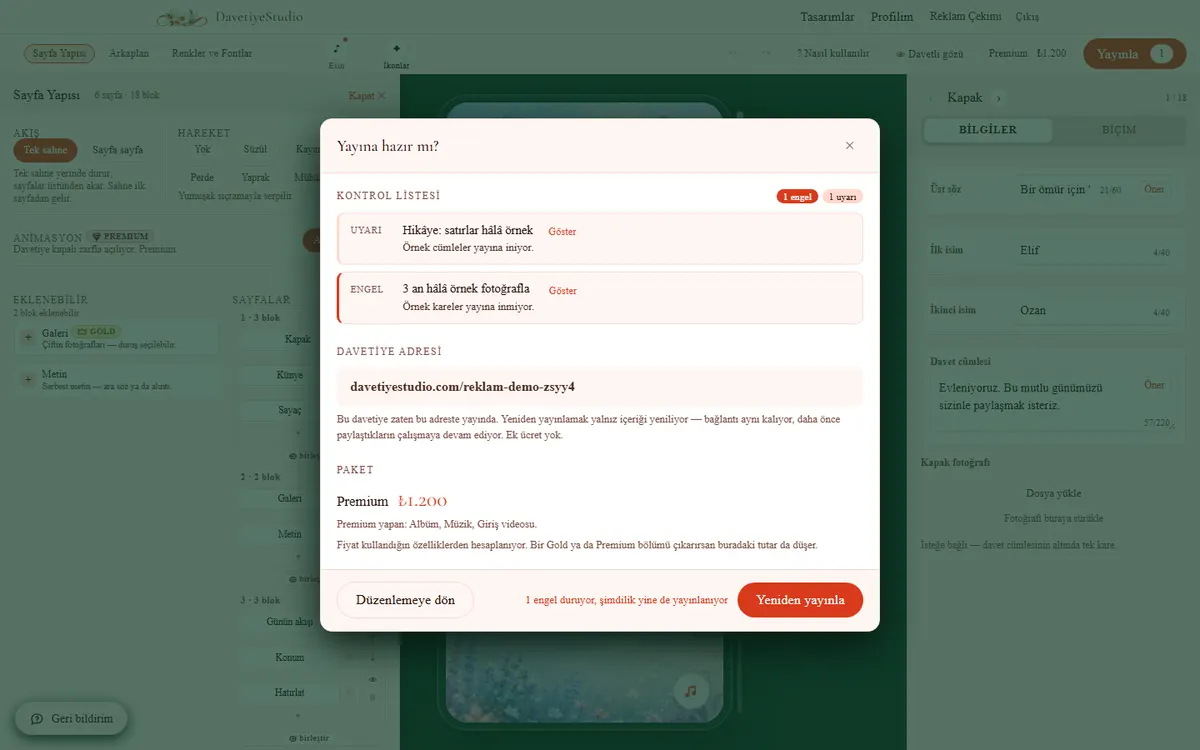
- Make changes, tap “Publish”. The button says “Republish”.
- The address stays the same. Your shared link keeps working; no second message to guests.
- Free on the same plan. Moving to a bigger plan? Pay the difference: ₺300 per step.
- You can publish up to 12 months ahead.
- For 2 months after the event, open and download replies and the album.
Full terms are on the legal information page. Stuck somewhere? Tell us with the feedback button in the corner of the screen. No sign-in needed.